Blog · · Work in progress
Behind the scenes on the Robb Cappelletto video
My new YouTube video based on Robb Cappelletto's six-position scale exercise is almost finished. I shot it last week, and I have two or three days of work left on the animations and the final edit, so I'm aiming to have it live early next week. The exercise itself has its own post, and the written lesson is already up.
In the meantime, here's what the edit looks like from the inside.
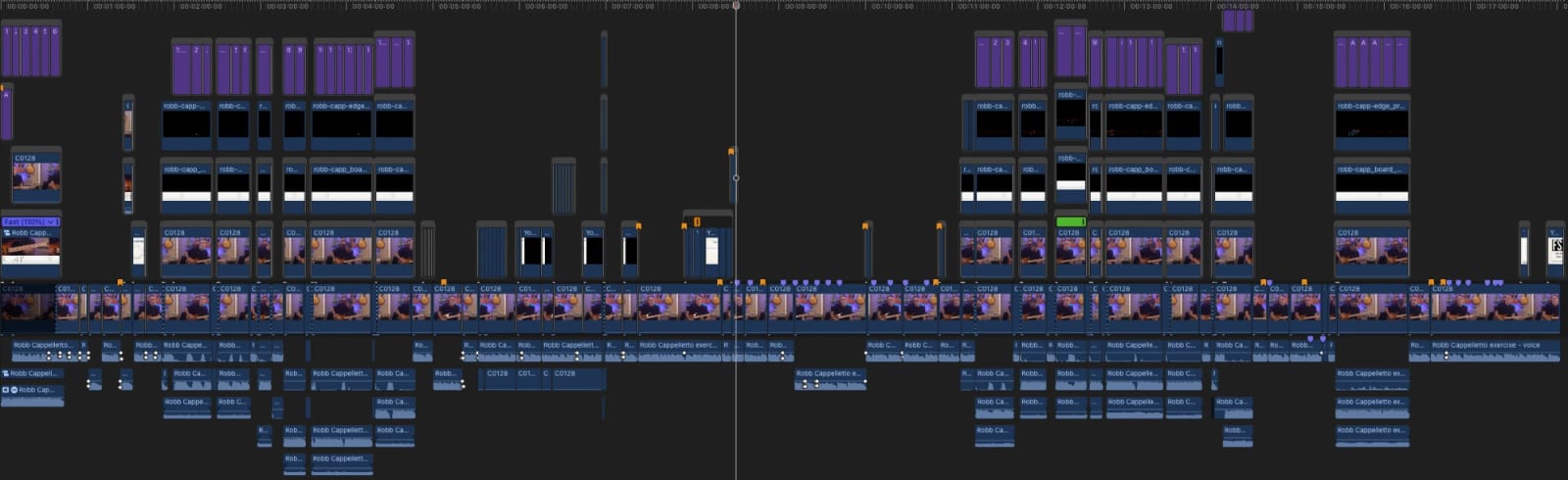
The whole video on the Final Cut Pro timeline, partway through the edit.
How to read it
Time runs left to right. The long row of clips across the middle is the camera footage. The audio sits below it, and everything above it is video layered on top of the camera.
All the live video was shot in one long take (~35 minutes for what will be an 18-minute YouTube video). When I fumbled a line or a lick, I went back and played it again without stopping the camera. My voice, my guitar, and the drones are each recorded and processed separately, so the first job was to sync them all to the picture. Then I sliced the take into a rough cut, which is why the camera row is broken into so many short clips.
In the busiest spots, as many as five layers of video are stacked up. From the bottom: the camera, a close-up of my hands on the fretboard, the fretboard diagram, the notes I'm playing, and on-screen text. The close-ups don't come from a second camera. They're zoomed in from the original 4K footage, which has enough resolution to crop in on my hands.
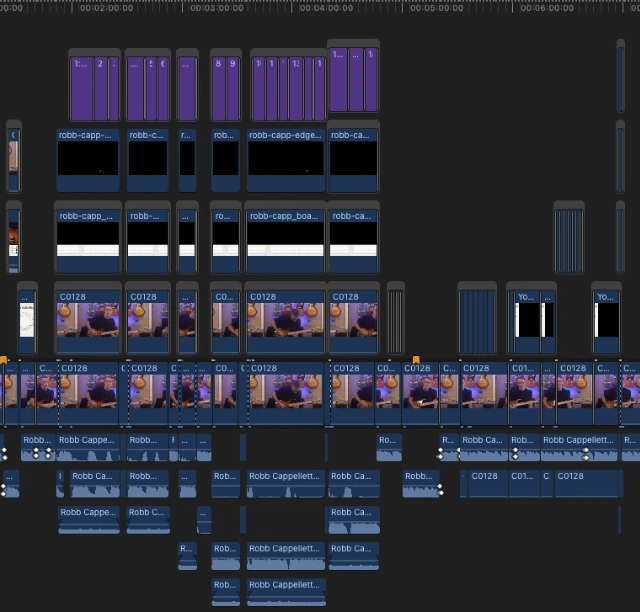
A closer look at the first few minutes, where all five layers are in use.
The small markers along the top of the camera row are notes to myself. The orange ones are chapter markers and placeholders for YouTube cards (the links that pop up in the corner of a video). The purple ones mark every spot that still needs an animation. You can see them bunched up in the stretches where the layers above the camera are still nearly empty.
Where the animated notes come from
The fretboard animations are two separate overlays. One is the diagram, which shows the shape I'm talking about. The other is the notes, which light up on that diagram as I play them. I built a bunch of custom tools to help me make them somewhat efficiently.
The notes come from a MIDI pickup on my guitar, which records each note I play and when I play it, but the raw recording isn't anywhere near clean enough to put on screen. The pickup hears a hammer-on as a bend, for example, and a muted strum comes out as a burst of notes I never played. So I go through the performance by hand and fix it, note by note, before exporting it as a video layer that sits over the footage.
What's left
The rest of the work is building the animations at the purple markers, which I mostly do in Keynote, and then a final editing pass. When the video is out, it will be free to watch on YouTube and on the lesson page. To hear when it's up, subscribe to the Fret Science YouTube channel or follow the blog.
Tagged: video, behind the scenes
Follow along by email
The newsletter goes out every other Tuesday with what's new at Fret Science, the occasional deal, and a roundup of recent blog posts. Unsubscribe anytime.
Prefer a feed reader? Follow the blog by RSS
Discussion
Sign in or create a free account to join the discussion.
No comments yet — be the first to start the conversation.