Guide
Timing game: getting started
A metronome that clicks on every beat keeps time for you. The timing game takes some of those clicks away, so your own sense of the pulse has to carry you through the gaps, and it measures how well it does.
How a run works
Tap along with the click on the space bar, or on the screen if you're on a phone. The first eight taps are a warm-up that measures your device's audio delay, so a slow speaker or Bluetooth headphones don't count against you. After that, clicks start dropping out at random and you keep tapping through the silence.
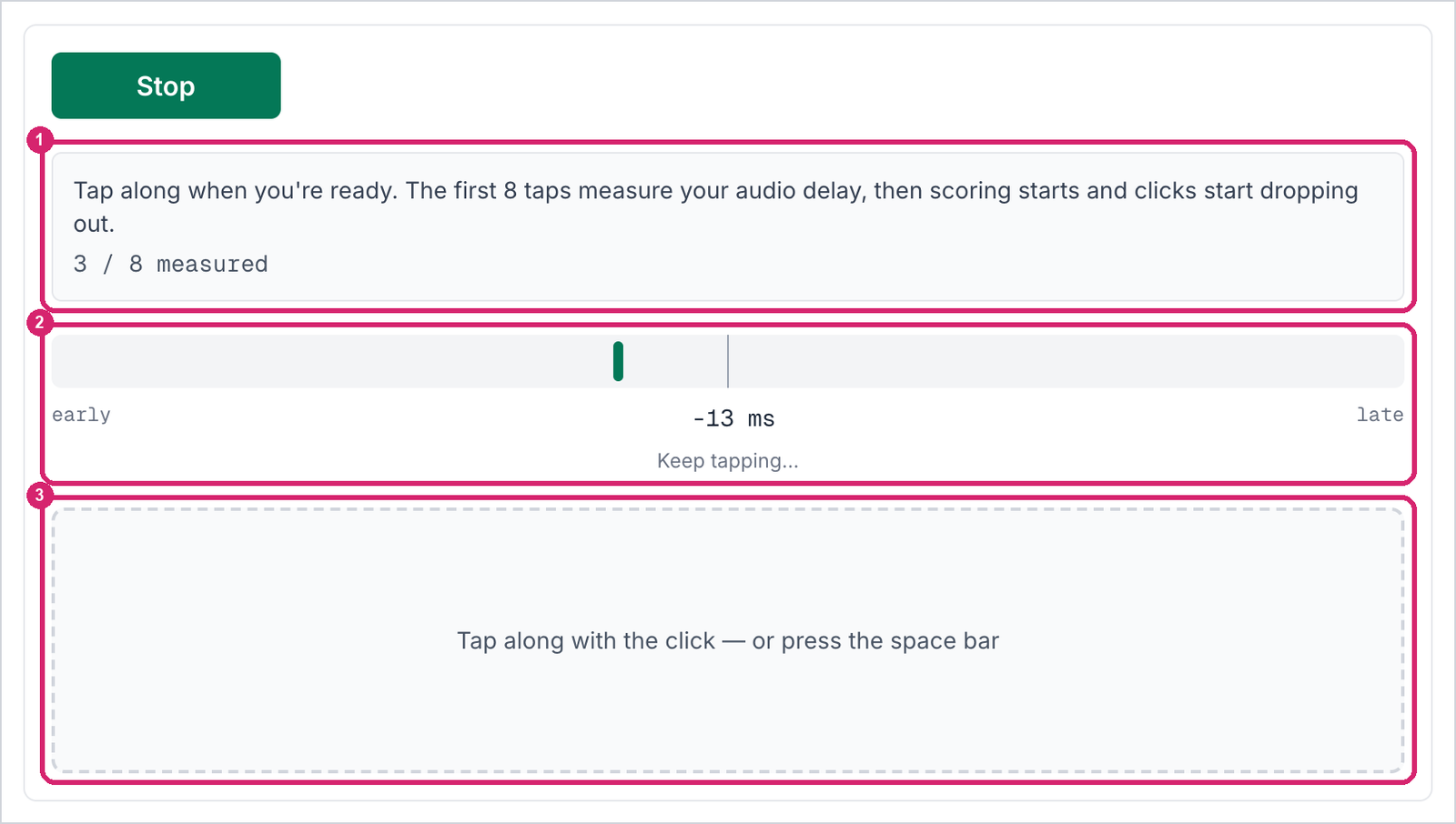
① What to do right now, and how many warm-up taps are done. ② Where your last tap landed, early or late against the beat. ③ Tap anywhere in this box, or press the space bar.
The meter is there for the warm-up. Once scoring starts it goes blank, so you hold the beat by feel instead of steering each tap by the last reading, and your tightness shows at the end. To keep the meter up the whole way, tick Show the early/late meter while scoring in the Tapping settings.
The score that matters is tightness: the spread of your taps around the beat, in milliseconds. Smaller is steadier. A beat you miss entirely counts against it too. The summary at the end of a run shows it first.
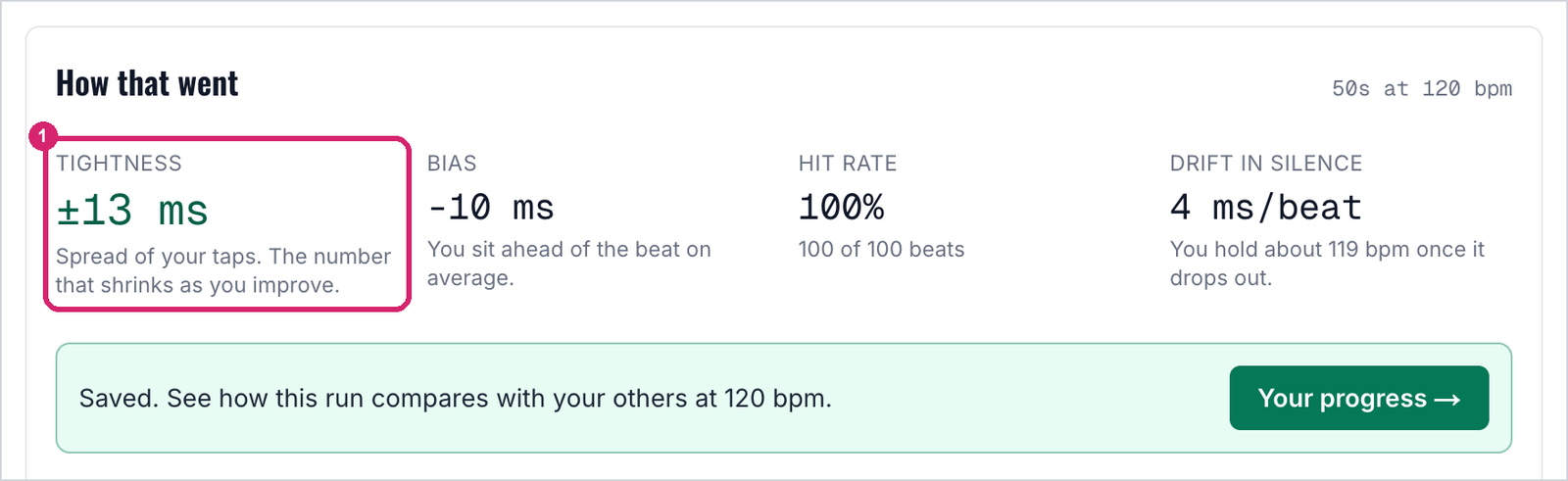
① Tightness for the whole run, the number to watch from one session to the next.
Where to start
Set Tempo (bpm) to 120 and Clicks dropped (%) to 30. At those settings the click still comes often enough to check yourself against, and most players can hold the pulse through the gaps on a first try.
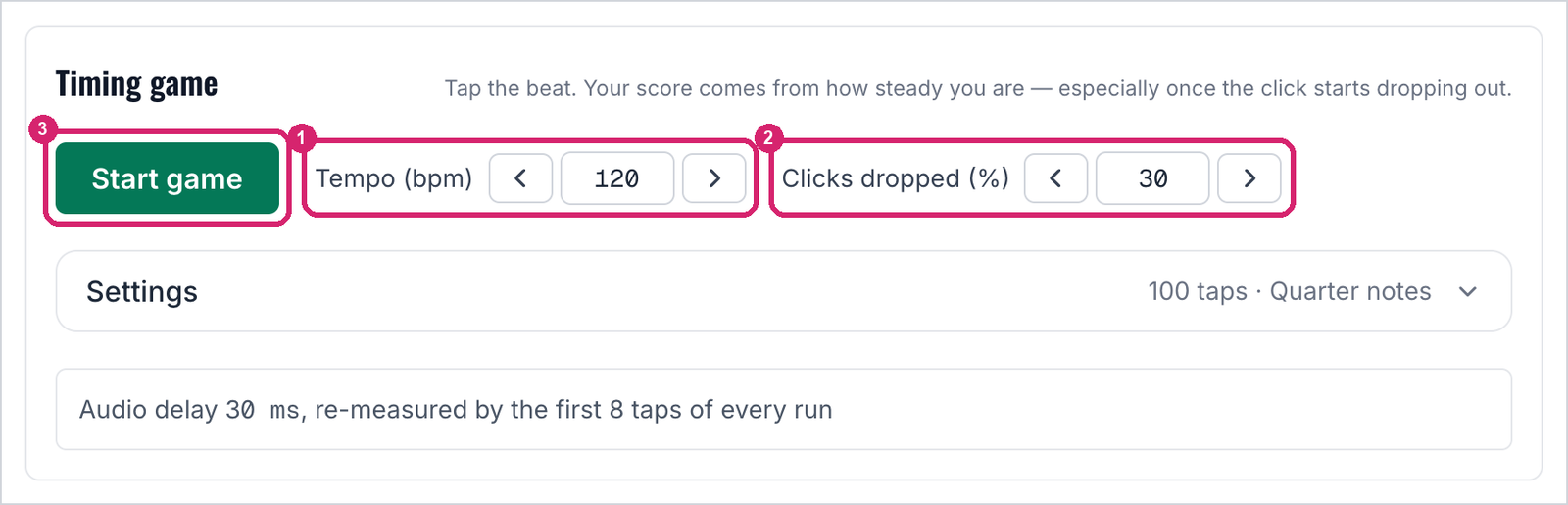
① Tempo, set with the arrows. ② The share of clicks that drop out. ③ Start the run.
Open the game at 120 bpm, 30% dropped
Find your edge
Once a few runs at the starting settings feel comfortable, make them harder a step at a time. Raise clicks dropped by 5 or 10 percent, or lower the tempo by 10 bpm. Change one setting per step, so you know which one made the difference.
Lowering the tempo makes the game harder, not easier. Slower beats leave more time between them for your pulse to wander, and fewer clicks to pull it back.
Keep going until your tightness gets clearly worse, or you start missing beats. That point is your edge: the settings where your internal time stops holding up on its own.
The progress page lists every set of settings you've played, easiest at the top, so the climb is easy to read back.
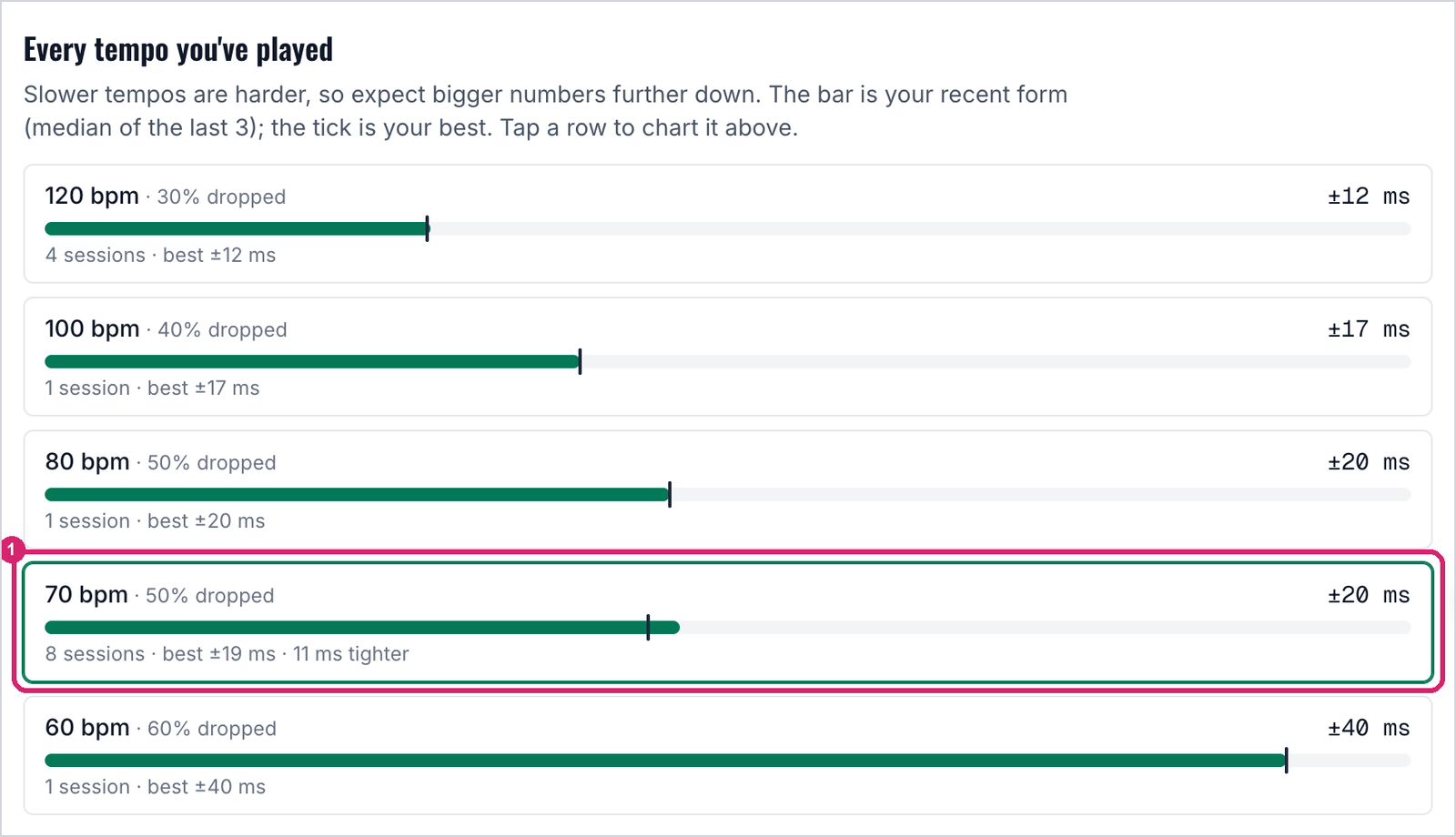
① The edge in this example. At 70 bpm with half the clicks dropped, tightness holds around ±20 ms. One step harder, at 60 bpm and 60% dropped, it doubles to ±40.
Practice near the edge
Spend most of your practice just around the settings where your performance drops. A little easier than that and the clicks still do the work. Much harder and you're mostly guessing, and a run that falls apart has little to teach you. Near the edge, every gap asks something of you, and the clicks that remain tell you whether you delivered.
Pick one setting near your edge and come back to it across several days. The progress page charts sessions played at the same settings, so repeating one is how you see the number shrink. As it does, your edge moves, and it's time to push the settings again.
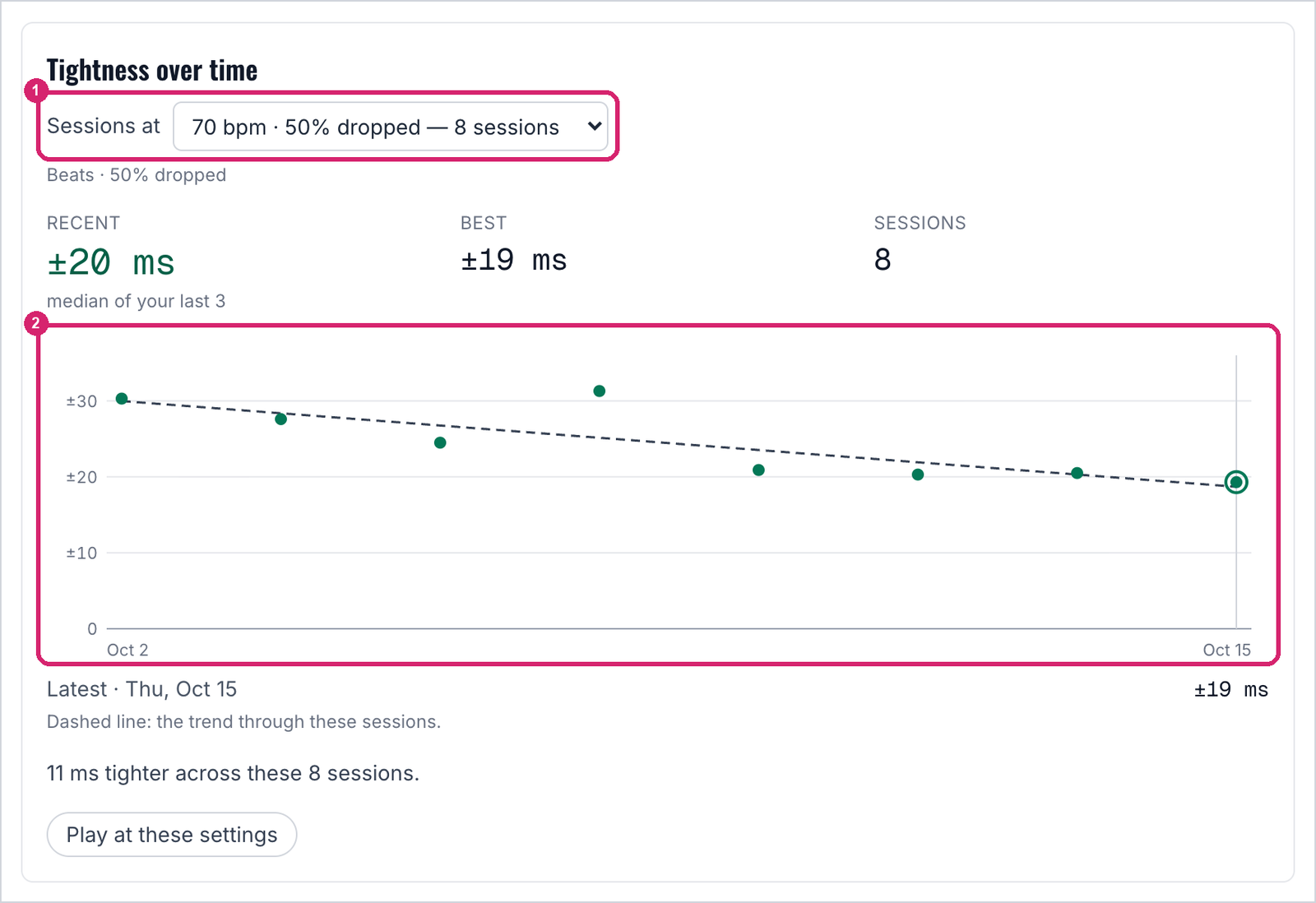
① The settings being charted. ② One dot per session. Single runs bounce around, so watch the dashed trend line rather than any one dot.
Further reading and watching
- Learn Faster, Perform Better by Molly Gebrian (affiliate link). The research behind practicing with clicks taken away, and behind working where the difficulty is.
- Your Metronome is Killing Your Time. My video on why a click on every beat holds your timing back, and what to do instead.
- Stuck in the Box 10: Dr. Molly Gebrian on effective practice. My conversation with Molly about how musicians learn.