Blog · · Announcement
Share a chord or a scale with one link
Every guitar group gets the same post a few times a week: a photo of someone's fretting hand, or six numbers from a tab, and the question "what's this chord?" Two of the practice tools now make that a ten-second answer.
What Chord Is This? and the Scale Visualizer each have a "Copy link" button. Those links have always opened the tool on the chord or scale you were looking at. Now, when you paste one into Facebook, Discord, a text message, or anywhere else that previews links, the preview is a picture of the chord or scale itself.
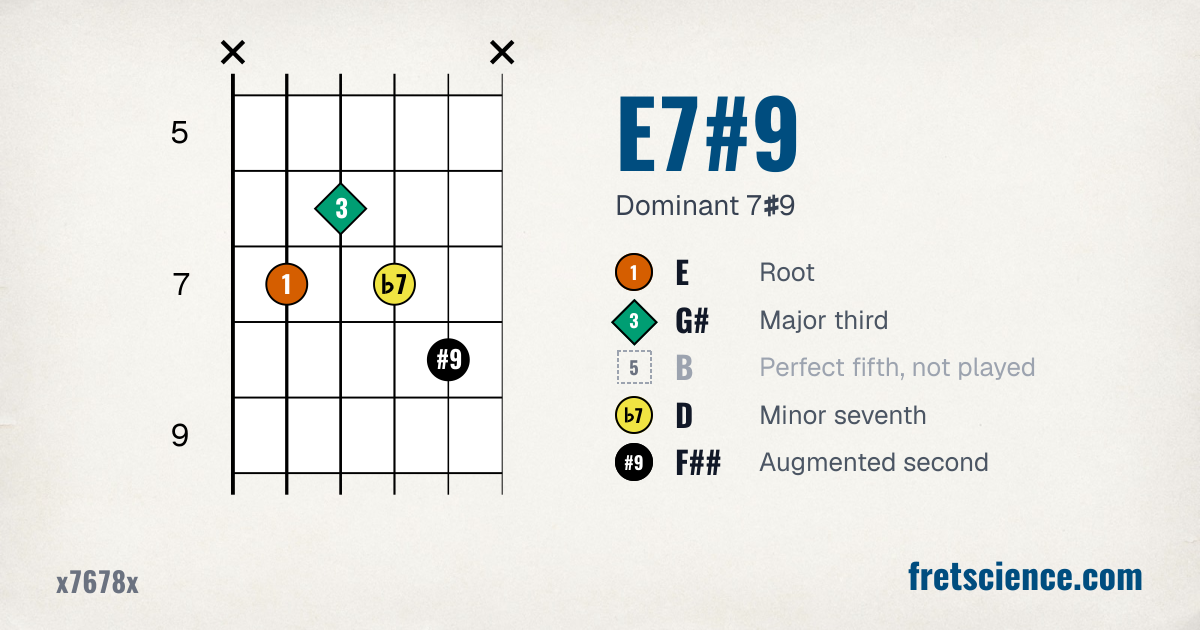
What a link to x7678x looks like when you paste it.
Answering "what's this chord?"
- Open What Chord Is This? It's free, and you don't need an account.
- Click the notes from the photo or the tab onto the fretboard. The tool names the chord as you go, in any of six tunings.
- Press "Copy link," or use your browser's Share button, and paste the link as your reply.
The person who asked sees the chord's name, a chord chart, and each note with its interval. If the voicing leaves a note out, as the E7#9 above leaves out its 5th, the picture says so. A tap on the picture opens the tool with that voicing on the board and the logic shown step by step.
Scales work the same way
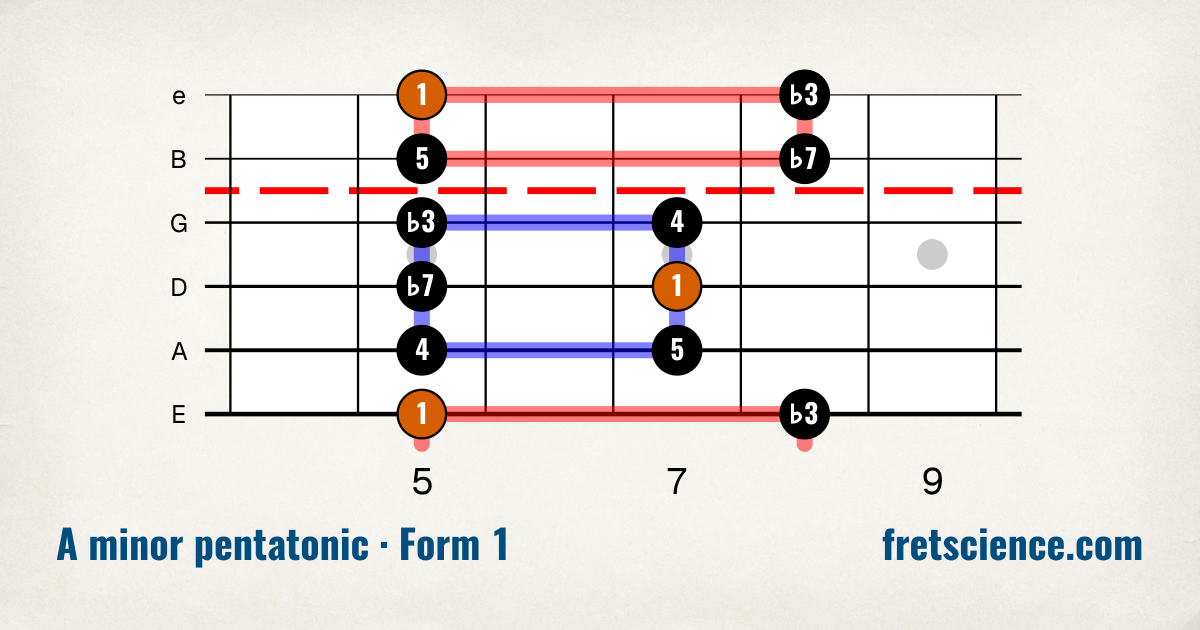
A link to A minor pentatonic in one position, with each note's interval.
Set up the Scale Visualizer however you like (the key, the scale, the view, the position, the instrument) and press "Copy link to this view." The preview is that diagram with its name underneath, zoomed in on the frets the notes use so it stays readable at preview size. It's handy when someone asks where the pentatonic boxes are, or which note makes Dorian sound like Dorian.
This works for every scale and every view, including the ones that come with a membership or a course. Someone without access who taps your link still lands on your diagram. They get a note saying what opens that scale, and the controls are switched off; the pentatonic and blues scales stay open for them to explore.
The Share button works too
On a phone, you don't need "Copy link" at all. The page's address always matches the chord or scale on your screen, so your browser's Share button sends the same link, straight to Messages, WhatsApp, or wherever the question came from.
Where links don't get a preview
Some places don't preview links, and Reddit comments are one of them. Both tools have a "Download image" button that saves a picture like these as a file you can attach. The Scale Visualizer got its button yesterday, and What Chord Is This? has one now too.
One difference between the two: a link's picture is always drawn right-handed and zoomed in on the notes, while "Download image" saves the diagram the way your settings show it, with your fret count and your left-handed neck.
You're welcome to post these anywhere.
Tagged: what chord is this, scale visualizer, practice tools
Follow along by email
The newsletter goes out every other Tuesday with what's new at Fret Science, the occasional deal, and a roundup of recent blog posts. Unsubscribe anytime.
Prefer a feed reader? Follow the blog by RSS
Discussion
Sign in or create a free account to join the discussion.
No comments yet — be the first to start the conversation.