Blog · · Announcement
Save any Scale Visualizer diagram as an image
The Scale Visualizer has a new button under the fretboard: "Download image." Press it, and the diagram on your screen is saved as a picture, with the name of the scale and the view written underneath.
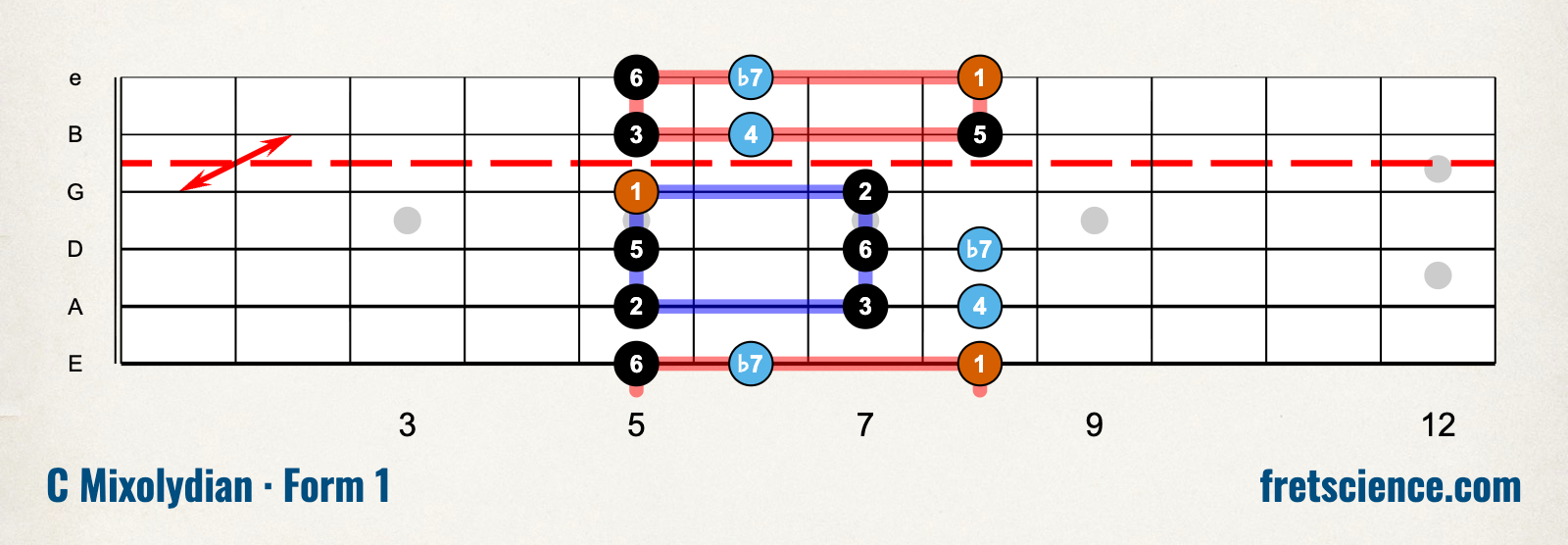
C Mixolydian in one position, with each note's interval, saved with the new button.
Set up the diagram the way you want it first: the key, the scale, the view, the position, a left-handed neck, a seven-string, a bass. The picture is whatever you see, on a light background, even if you use the site in dark mode.
A few things you might do with it:
- Print it for your music stand.
- Send it to a student or a bandmate.
- Post it when someone asks how the pentatonic boxes connect.
You're welcome to share these anywhere. That goes for every scale and every view, including the ones that come with a membership or a course.
"Copy link to this view" is still beside it, for when you'd like to send the live diagram instead of a picture.
Tagged: scale visualizer, practice tools
Follow along by email
The newsletter goes out every other Tuesday with what's new at Fret Science, the occasional deal, and a roundup of recent blog posts. Unsubscribe anytime.
Prefer a feed reader? Follow the blog by RSS
Discussion
Sign in or create a free account to join the discussion.
No comments yet — be the first to start the conversation.