Blog · · Announcement
Every YouTube video in one list, and a way to see which ones you've finished
The Lesson Library has three new things: a filter that shows only the videos from the YouTube channel, a button that shows their thumbnails, and a mark on every lesson you've completed.
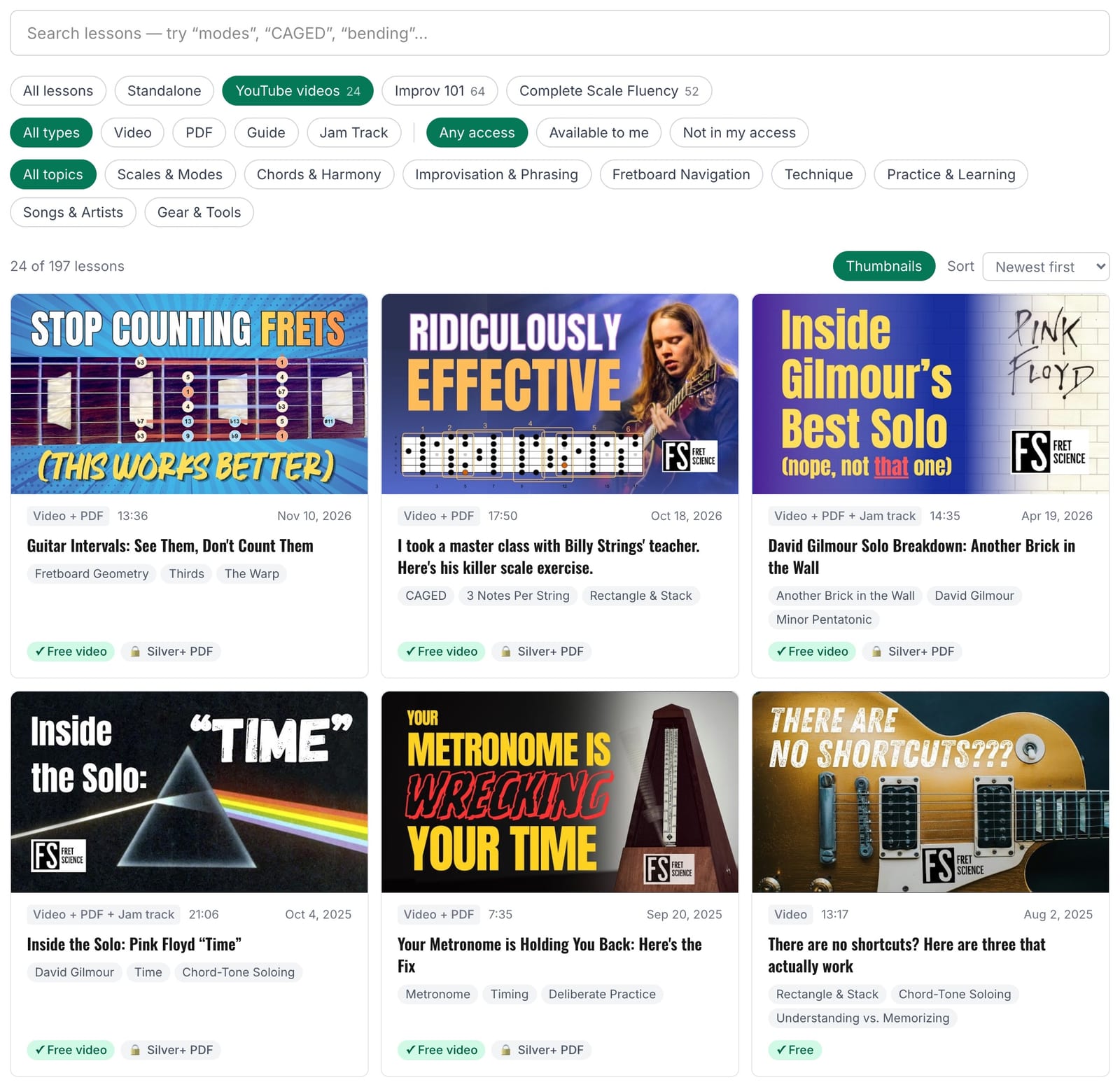
The Lesson Library with the YouTube videos filter and thumbnails turned on.
Why I added it
The channel's lesson videos have had pages in the Lesson Library since July. They sit among everything else there: course lessons, PDF lessons, cheat sheets, and interviews, about 200 items in all. Until now, there was no way to list just the videos, and no way to tell which ones you'd already been through.
Each video's page on the site has more than the video. Many come with a PDF lesson, and some link to a practice tool that goes with the video. If you're signed in, the video plays in the site's own player, without ads.
How to use it
- Go to fretscience.com/youtube. That address opens the Lesson Library with YouTube videos already selected and their thumbnails showing. You can also press that button yourself, in the first row of filters. The Thumbnails button is next to Sort, and it turns the pictures on or off.
- Sign in. A free account is enough, and signing in with a new email address creates one.
- Watch. A lesson is marked complete when you watch its video nearly to the end. You can also press the check mark at the top of a lesson's page to mark it yourself, or to unmark it.
- Back in the library, a finished lesson has a green check mark on the corner of its card, and its title turns gray. Press Hide completed, and those lessons drop out of the list. What's left is what you haven't seen.
The site can't see what you've watched on YouTube, so a video you already know starts out unmarked. Open its page and press the check mark to catch up. Anything you've finished here before is already marked.
It works on the whole library
The check mark and the Hide completed button aren't limited to the YouTube videos. They apply to every lesson in the library, course lessons and PDF lessons included, and they combine with the other filters and with search. Thumbnails are the exception: only the YouTube videos have one. Turn on the YouTube filter, pick Scales & Modes from the topics, hide what you've completed, and you have the videos on modes and scales that you haven't watched yet.
Search also knows the words on each video's thumbnail. If you remember "Cowboy chord superpowers" but not the title, type that.
If a lesson is still hard to find, leave a comment below, or use the Feedback button on any page of the site.
Tagged: lesson library, youtube
Follow along by email
The newsletter goes out every other Tuesday with what's new at Fret Science, the occasional deal, and a roundup of recent blog posts. Unsubscribe anytime.
Prefer a feed reader? Follow the blog by RSS
Discussion
Sign in or create a free account to join the discussion.
No comments yet — be the first to start the conversation.